You can give your tithe, offering and special donations to your church from your phone in a few taps, wherever you are. This guide is for members. It shows you how to give online with mobile money or card, how to find your church's bank and mobile-money details for offline giving, and how to see your giving history.
Before you start
- Who this is for: church members and visitors. You can give without an account, but signing in fills in your details and keeps a record of your gifts.
- To give online: a mobile-money wallet or a bank card. Your church must have online giving switched on.
- To give offline: your church must have added its bank or mobile-money details.
Step 1: Open the Give page
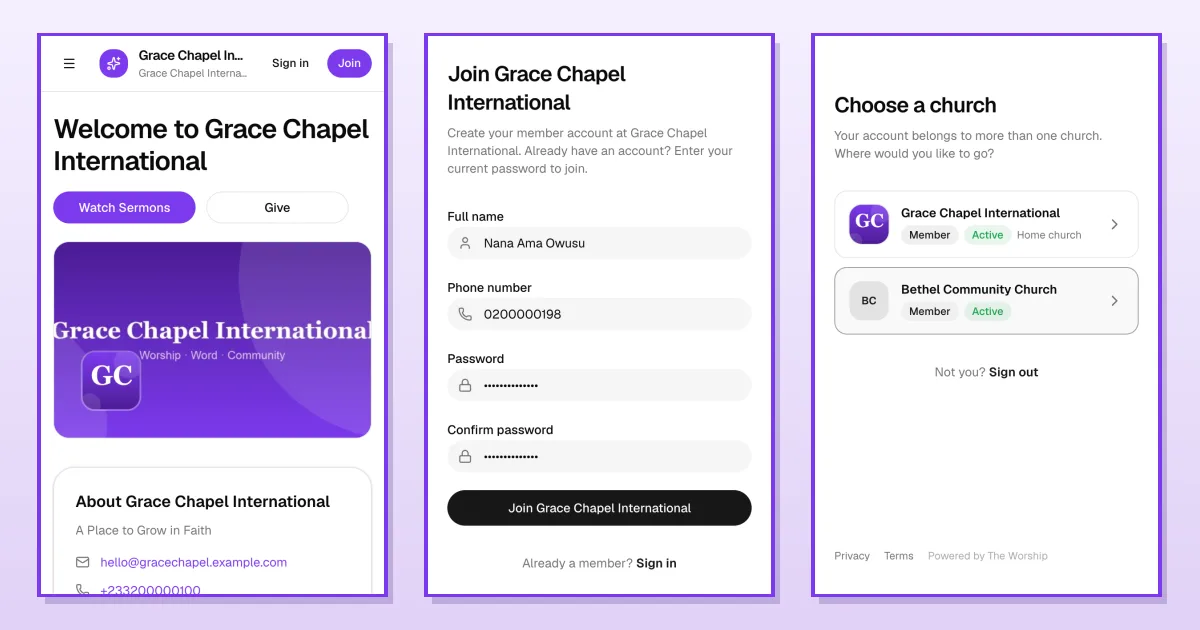
From the menu, tap Give (or tap the Give button on your church's home page). The page has two tabs: Online Giving and Offline Giving.
Step 2: Choose what you're giving to and how much
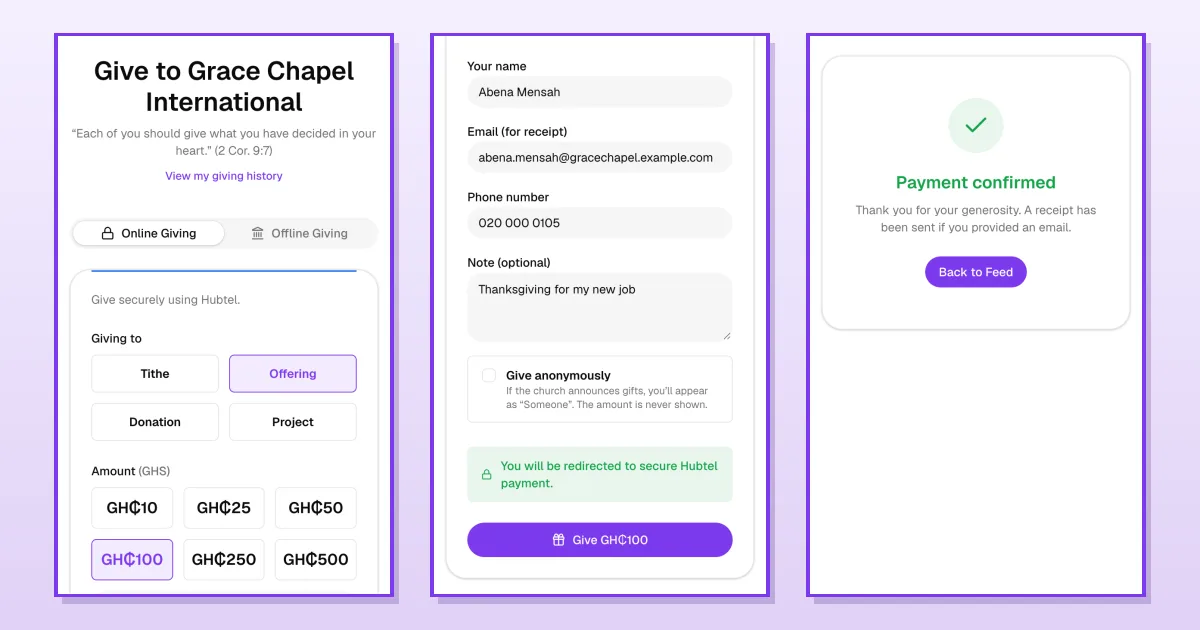
On the Online Giving tab, choose what your gift is for under Giving to: Tithe, Offering, Donation or Project. Then tap an amount, or type your own in Custom amount.
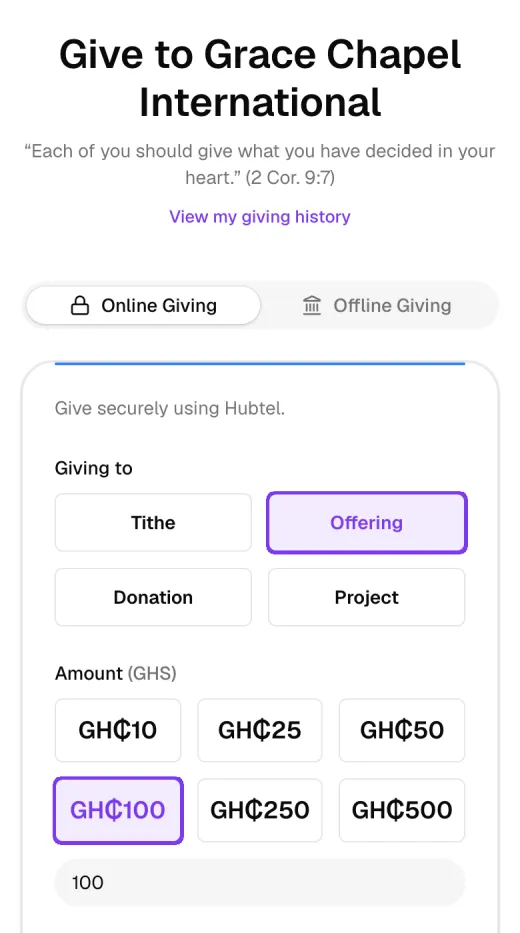
Step 3: Check your details and give
Scroll down. If you're signed in, Your name, Email (for receipt) and Phone number are filled in for you, with your phone number in the familiar local format (for example 020 000 0105). Change them if you need to. You can add a Note, such as a dedication or thanksgiving.
Tick Give anonymously if you don't want your name shown when the church announces gifts. You'll appear as "Someone", and the amount is never shown.
Tap the purple Give button (it shows the amount, for example Give GH₵100).
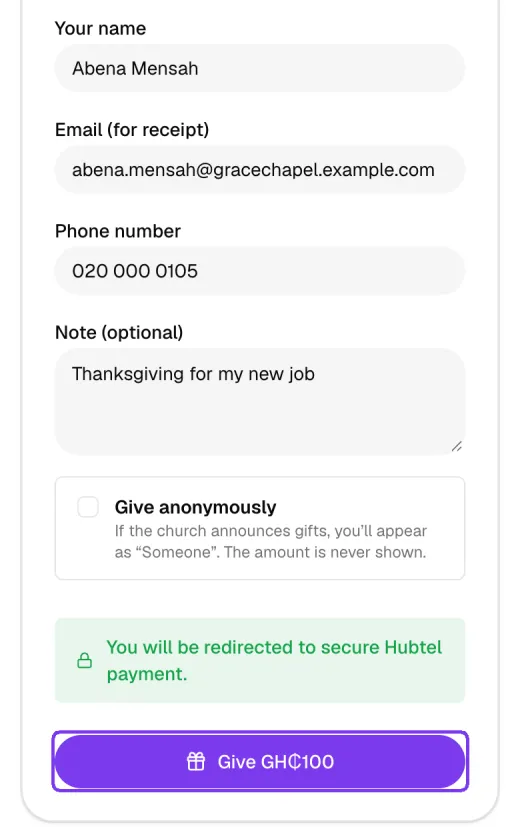
Step 4: Pay on the secure payment page
You're taken to your church's secure payment partner, for example Hubtel. Choose mobile money or card and follow the steps. For mobile money, approve the payment prompt on your phone with your PIN.
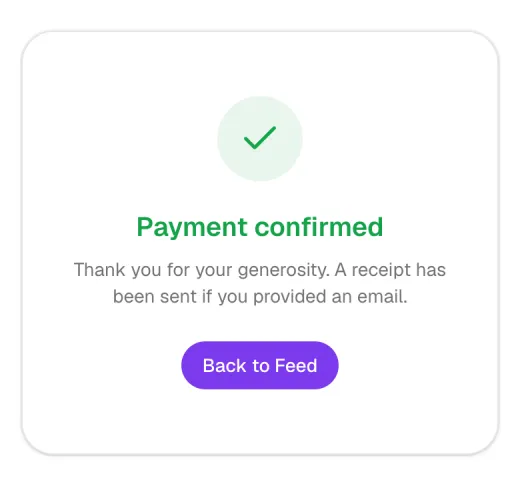
When the payment goes through, you return to The Worship and see Payment confirmed. If you gave an email address, a receipt is sent to it.
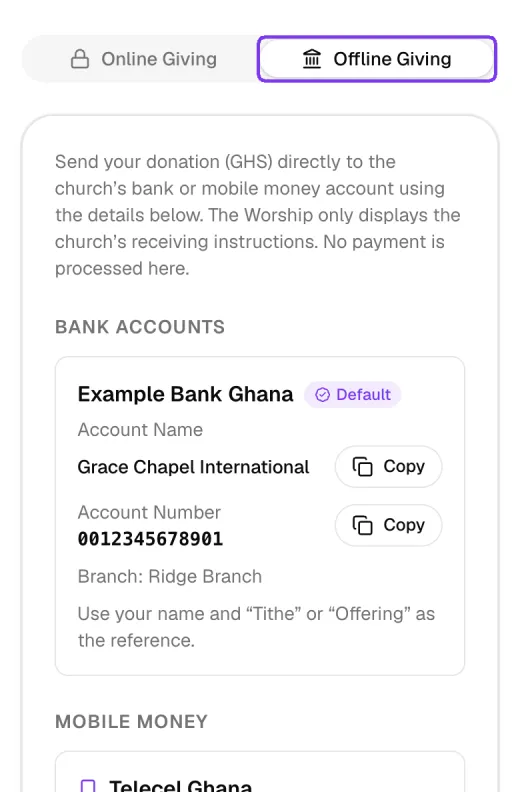
Giving offline: bank and mobile money
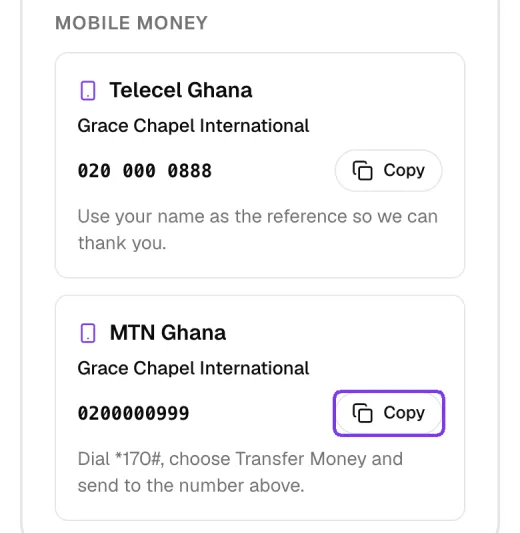
Prefer to send money directly? Tap the Offline Giving tab. It shows your church's bank accounts and mobile-money numbers, with instructions such as what to use as the payment reference. Tap Copy to copy an account name or number.
See your giving history
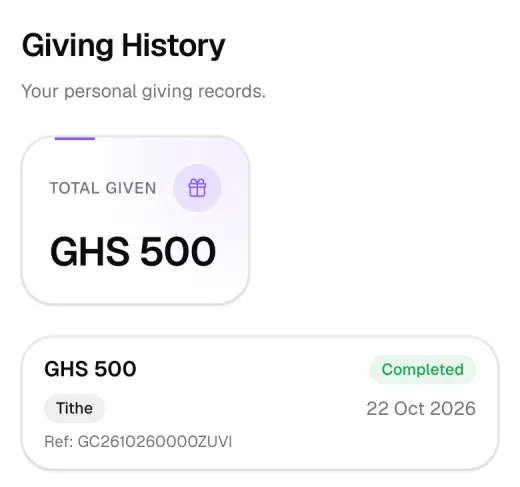
Tap View my giving history at the top of the Give page. You'll see your Total given and your gifts with the amount, type, date, reference and status. On a phone each gift is shown as its own card; on a computer they appear in a table.
Tips
- Sign in before giving, so your gifts appear in your giving history.
- Enter your email if you want a receipt.
- Keep your phone nearby: the mobile-money prompt only waits a short time.
Troubleshooting and FAQ
Money left my wallet but the page didn't say "Payment confirmed".
Sometimes confirmation takes a little longer. Don't pay again. Check your giving history later, or contact your church office with your payment reference.
I don't see the Online Giving form.
Your church may not have online giving switched on yet. Use the Offline Giving tab or ask the church office about other ways to give.
A gift I made offline isn't in my history.
Gifts you send directly to the church's bank or mobile-money account may not appear in your history. The church office records them.
What's next
Filed underFor MembersGuides