Joining your church on The Worship gives you sermons, live services, church radio, events, groups, giving and private chat with your church family, all in one place on your phone or computer. This guide is for members. It shows you how to find your church, create your account, sign in for the first time if your church already added you, and switch between churches if you belong to more than one.
Before you start
- Who this is for: church members and visitors who want an account.
- Your phone number: you sign in with your phone number and a password.
- Your church's page: every church has its own page on The Worship, for example /c/gracechapel. Ask your church for the link, or find it from the sign-in page (Step 2).
Step 1: Open your church's page
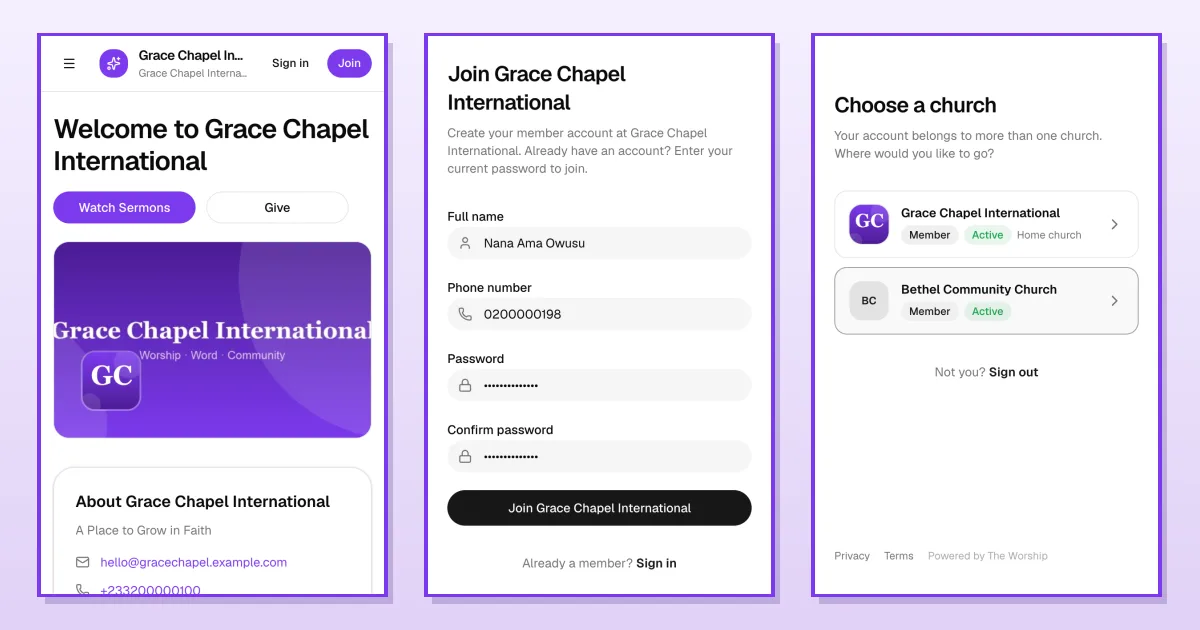
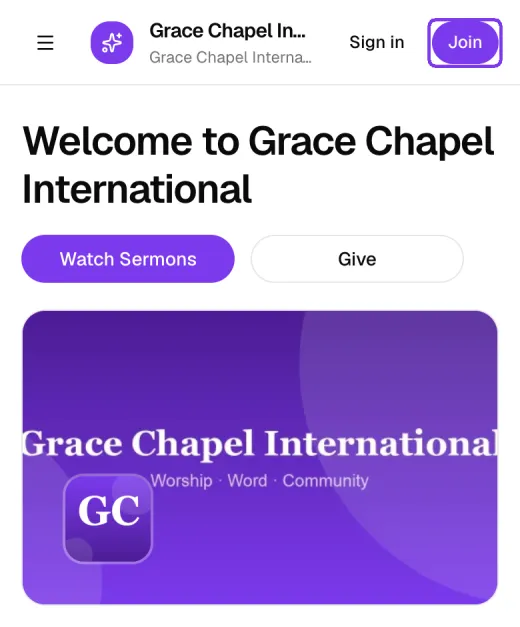
Open the link your church shared. You can browse sermons, events and live services without an account. To create one, tap Join at the top of the page.
Step 2: Or find your church from the sign-in page
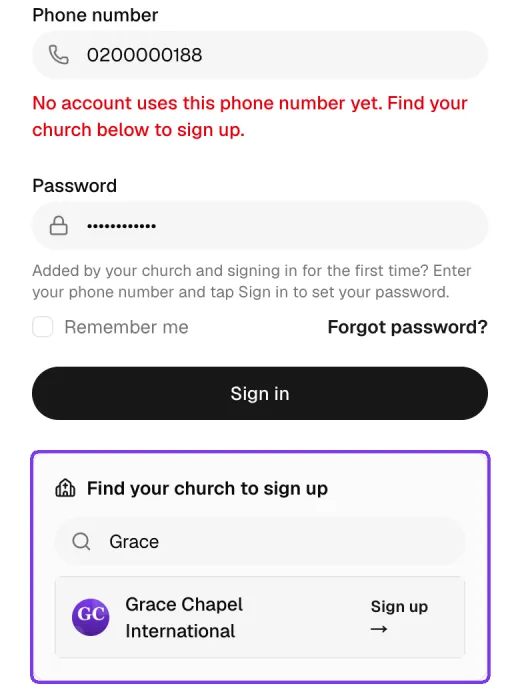
If you don't have the link, go to the sign-in page, enter your phone number and a password and tap Sign in. If no account uses that number yet, a Find your church to sign up box appears. Type your church's name and tap Sign up next to it.
Step 3: Fill in the join form
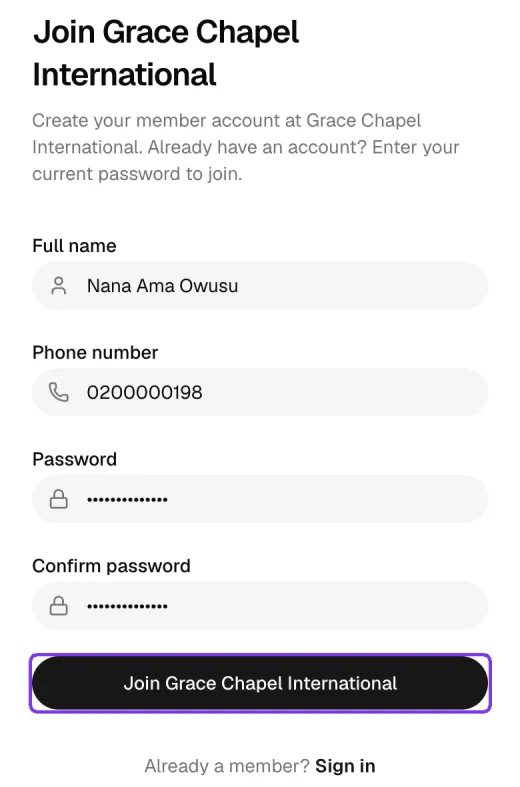
Enter your Full name, Phone number and a Password (at least 8 characters), type the password again under Confirm password, and tap the Join button with your church's name.
Depending on your church's settings, you may receive an SMS code to confirm your phone number. Enter it when asked.
Step 4: You're in
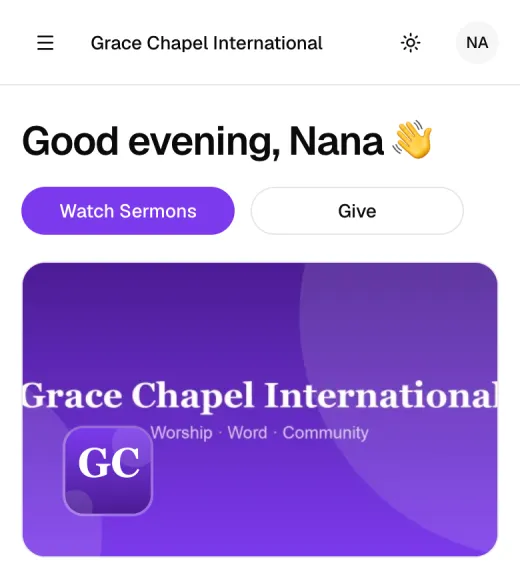
When your account is created you are signed in and taken to your church's feed, with a greeting and your initials in the top corner. Use the menu to find Chat, Sermons, Online TV, Online Radio, Events, Groups, Prayer Requests, the Bible and Give. Under Account you'll also find your profile, Notifications, Settings and Help.
Signing in for the first time when your church added you
Sometimes the church office adds you as a member before you've signed in. In that case you don't need to join again:
- Open the sign-in page and enter your Phone number only.
- Tap Sign in.
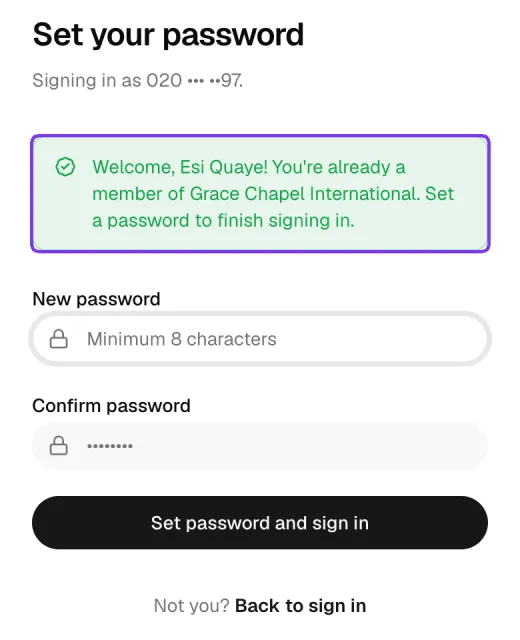
- You'll see Set your password with a welcome message. Choose a password, confirm it and tap Set password and sign in.
If you belong to more than one church
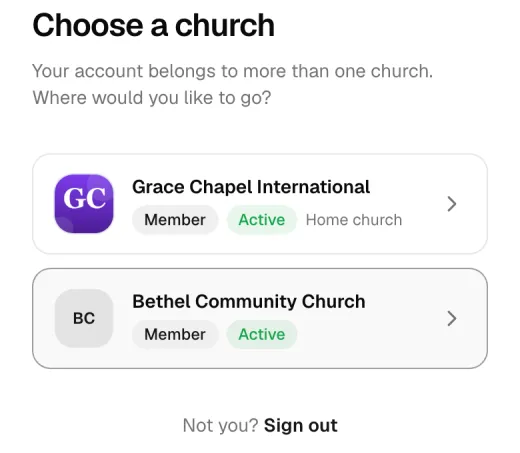
If your account belongs to several churches, The Worship asks Choose a church after you sign in. Tap the church you want to open. Your home church is marked.
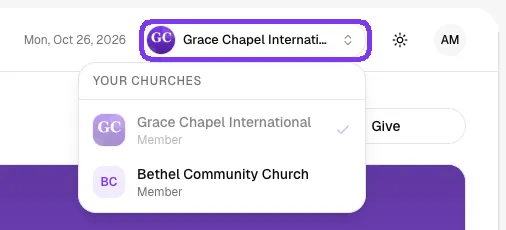
You can switch at any time from the church switcher at the top of the page. It lists all your churches.
Tips
- Use the phone number you use every day, so the church can reach you and you can recover your account.
- Tick Remember me on your own phone so you stay signed in.
- Add the church page to your phone's home screen for quick access.
Troubleshooting and FAQ
It says no account uses my phone number.
You haven't joined yet, or you signed up with a different number. Use the Find your church to sign up box to join.
I forgot my password.
Tap Forgot password? on the sign-in page. You'll get an SMS code to set a new password.
My church gave me an activation code.
Tap Activate your account at the bottom of the sign-in page and enter your phone number and the code.
What's next
Filed underFor MembersGuides